
Simplifying Photoshop’s complex UI
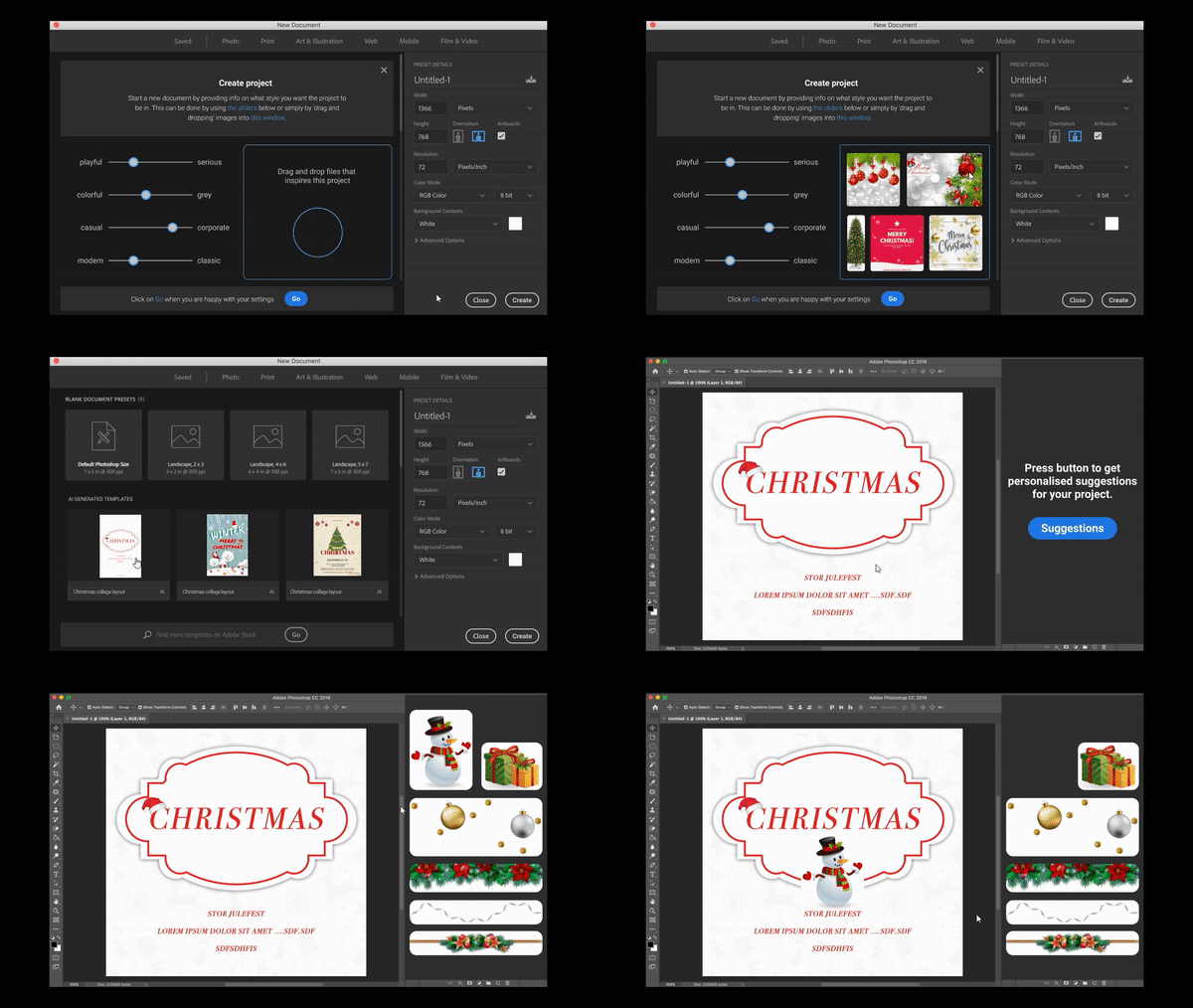
In this case, a high-fidelity prototype of an updated Photoshop interface was created to explore how system-driven personalization could simplify and possibly improve the usability of Photoshop.
In the proposed design solution, the user picks their preferences for the template and can choose to upload pictures as inspiration. The system then suggests different templates based on the user’s preferences and uploaded pictures. The user chooses a template they can continue working on, and is given the option to get personalized suggestions, which they can drag and drop onto their project.
The goal was to examine how Photoshop can be designed easier for new users to sustain their playfulness, and how the efficiency for more advanced users doing repetitive tasks can be improved. The users should be met at their current skill level, while supporting their development and needs.
Background
Humans are understood as playful beings, which is seen as an antidote to the general perception that technology should provide clear, efficient solutions to practical problems. Therefore, it was speculated that new users see great challenges in getting started with Photoshop, hindering their playfulness and creativity. Photoshop’s many tools arguably make it hard for a beginner to get started, while also making it inefficient for the advanced user to complete repetitive tasks easily.
Findings
By implementing an AI-infused tool to Photoshop's existing platform, it is possible to develop a concept that creates a more personalized experience, by anticipating the users’ desired outcome and helping them get started with suggestions tailored to them. Through this concept the beginner can get recommended design suggestions and thereby more easily reach a desired outcome without much experience. At the same time, the complexity of the platform remains unchanged, which helps to support the sense of freedom and ownership that the advanced user values highly. The advanced user can be inspired by the design suggestions and make it a useful tool for optimizing specific workflows for professional use, while remaining free to not use it.
Assumptions and Personas
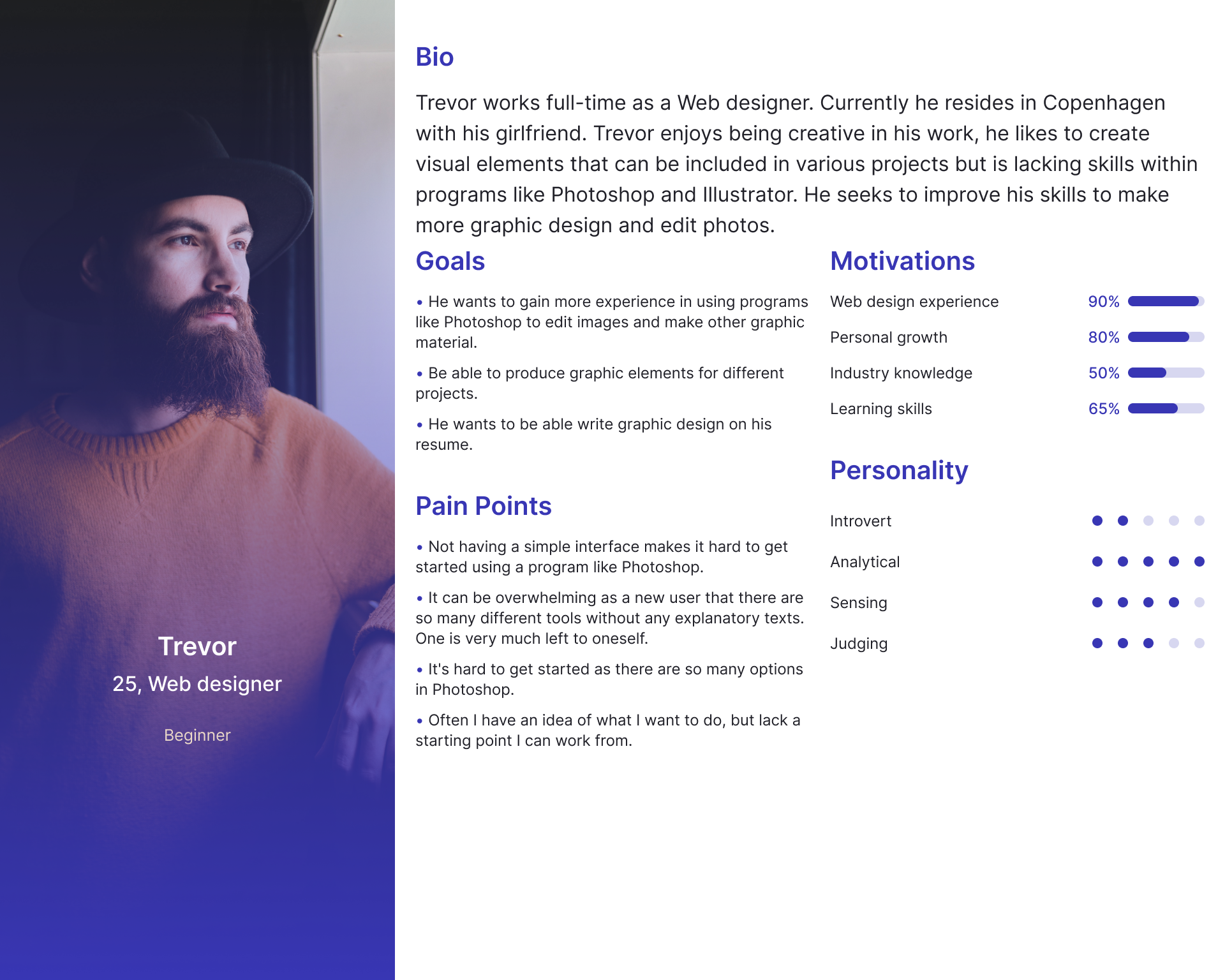
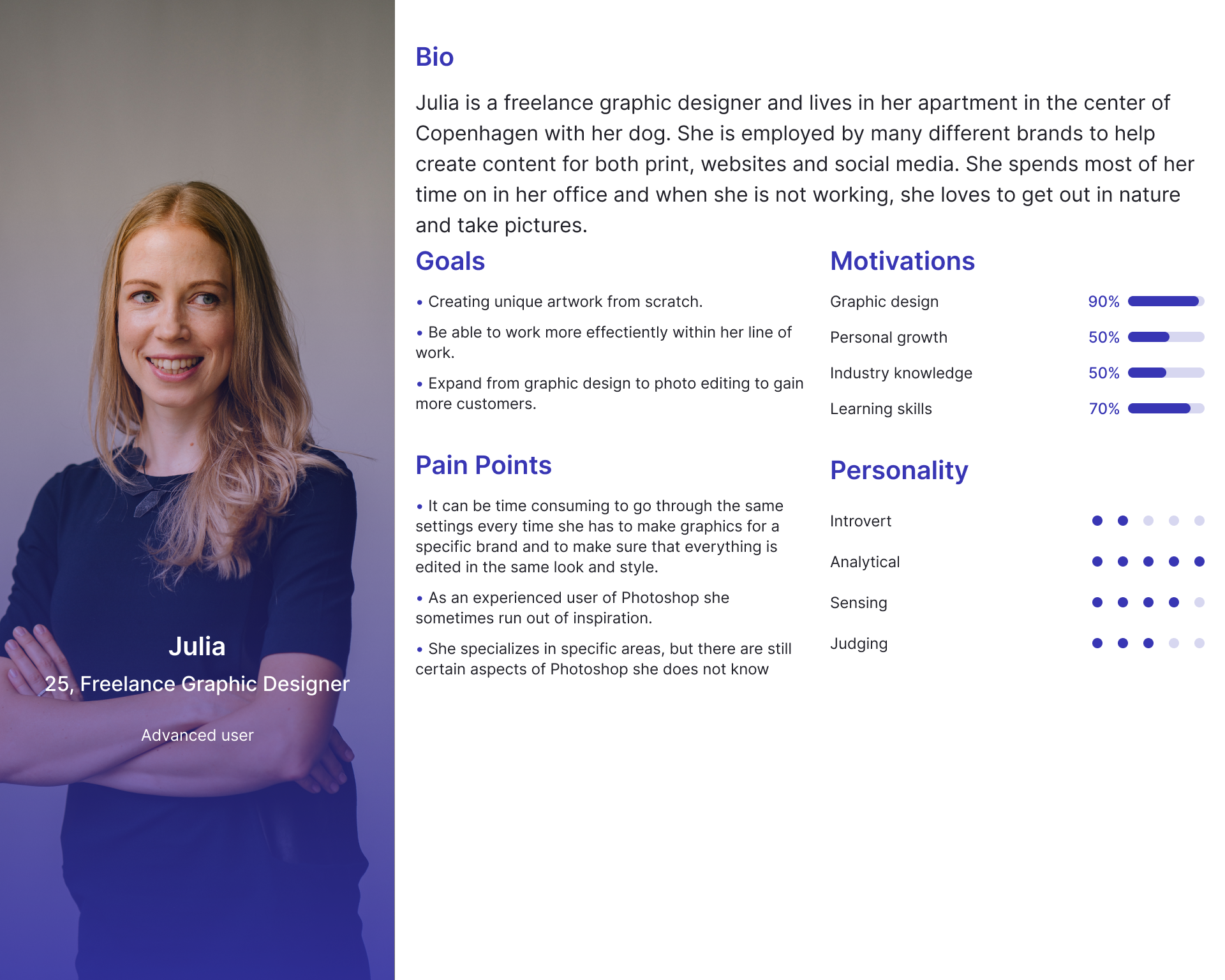
The design process was built on several assumptions about users of Photoshop, which was later investigated through user research. These assumptions are summarized as two types of users; beginners that just started using Photoshop, who are overwhelmed with all the tools and options available, and advanced users experienced with Photoshop. Advanced users would not need help with basic picture editing but could instead use advice on how to make their work more efficient.
Based on the user types, we defined two personas, with Trevor representing the beginner, and Julia representing the advanced user. Our initial research approach was to seek solutions that would accommodate the needs of both personas. What characterizes both personas is the need of inspiration to either get started or move forward in the process when getting stuck.
Early concept
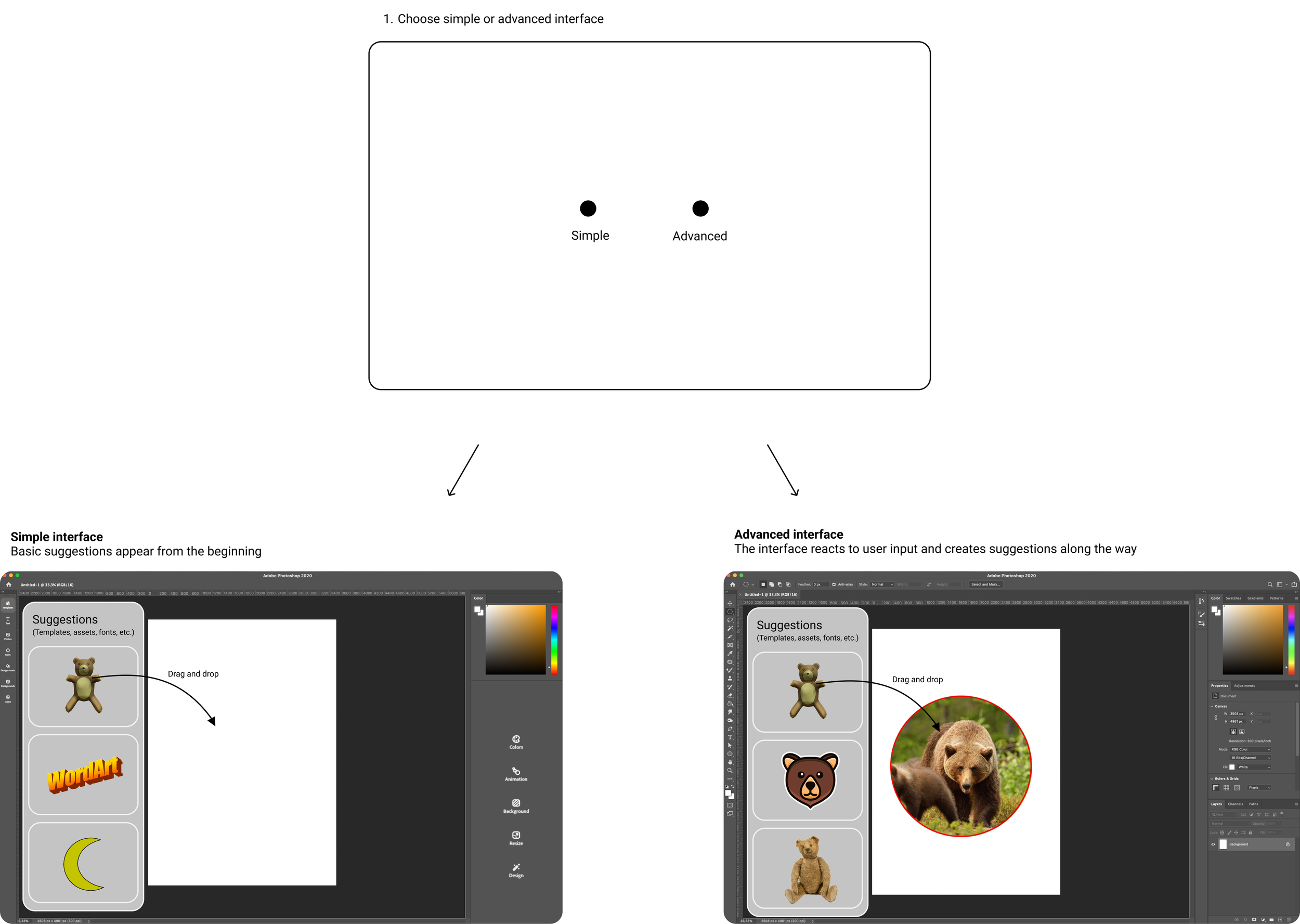
Based on the assumptions in relation to the personas, an ideating process on a potential solution began. The reimagined interface started out as a concept asking the user to choose between a simple or an advanced interface.
The simple interface presented the user with templates and design assets such as backgrounds, images, shapes and various fonts and text styles. This interface had limited editing possibilities and relied mostly on drag and drop, cropping, adding text and other simple features.
The advanced interface was Photoshop at its current state, with all its tools and functionalities. This interface however uses AI/ML to react to the user’s input. It does this by looking at what style of use the user has, such as what fonts, colors, tools etc. the user prefers, and then comes with suggestions based on this - anticipating the user’s needs. An example could be that a user is working on a poster and the AI suggests a specific font and color for a headline. As the user interacts more with the AI over time the AI gets to know the user better and thus will be able to create better suggestions.
User testing a paper prototype
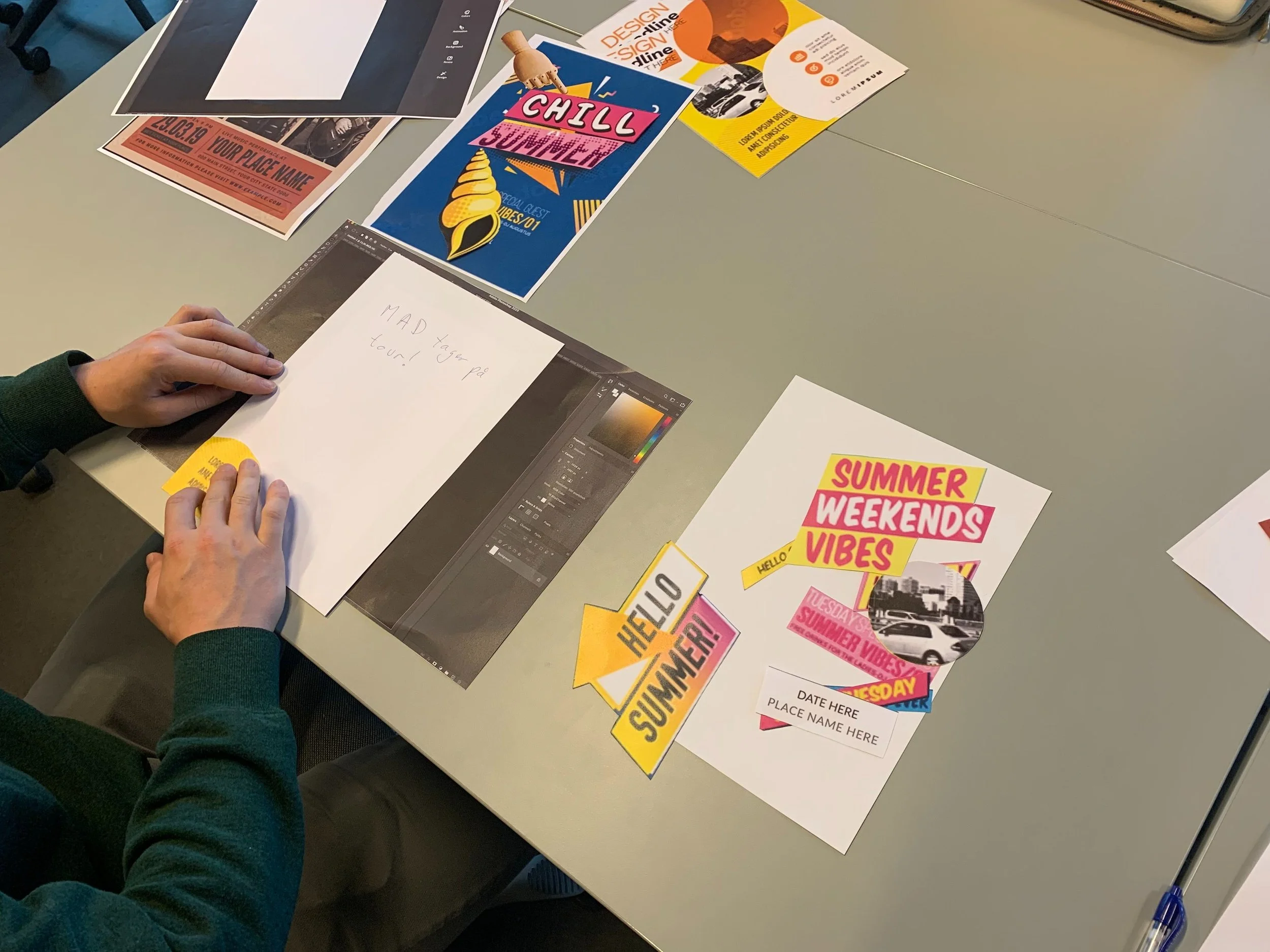
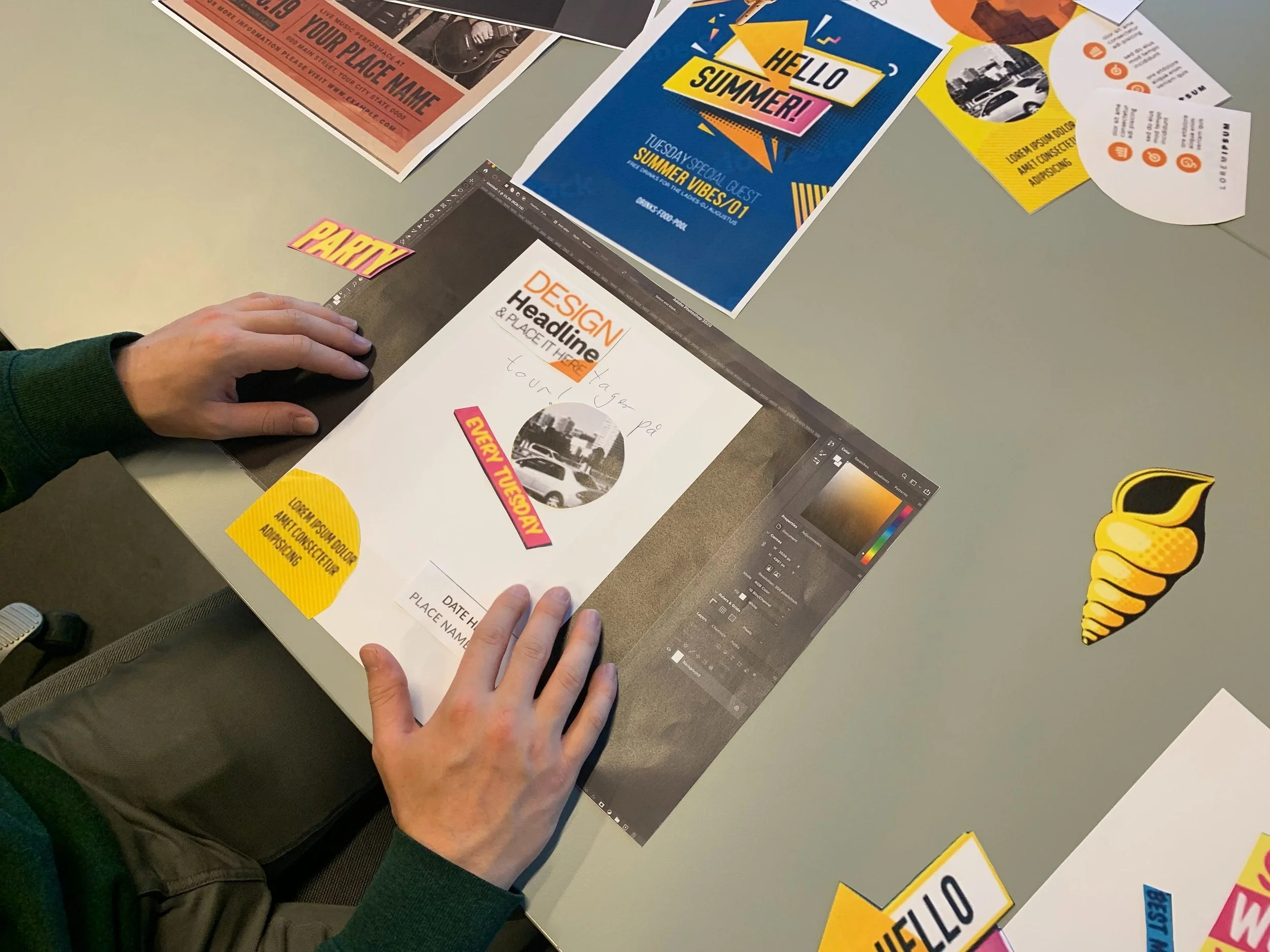
The concept was tested with the purpose of simulating design options being suggested for the user. To make a prototype that caters more to user input, an interactive paper prototype was created.
The prototype consisted of a starting page where the user could choose between a simple or an advanced layout. Depending on the user’s choice, an image was presented resembling either a simple or advanced UI of Photoshop. A paper was put on top of the UI image and the user was tasked to draw on the paper. Based on what the user drew on the paper, the design team and I suggested what graphic design template could be used. The user was allowed to use cut-outs of these graphic design templates on their paper, to resemble the act of copying and pasting certain content from one template to another.
Using the think aloud method alongside the paper prototype allowed quick feedback to be received from the user and make iterations to the design. This allowed us to mimic how an AI reacts to user input, thus creating more AI-like interactions between users and the prototype. It also allowed us to change the design of the test and prototype along the way. If a test subject pointed out something was confusing, we could change it right away and reiterate. That way the prototype testing became a type of co-creation where users were actively contributing to the design as the test went along.
When testing the prototype, it became clear we were trying to solve multiple problems at the same time. In addition, we found out how design suggestions and templates can be valuable for a first-time user in Photoshop. As a result, we chose to narrow down our scope by moving away from the binary option between a simple and advanced interface, and instead chose to focus on the design suggestions.
User study findings
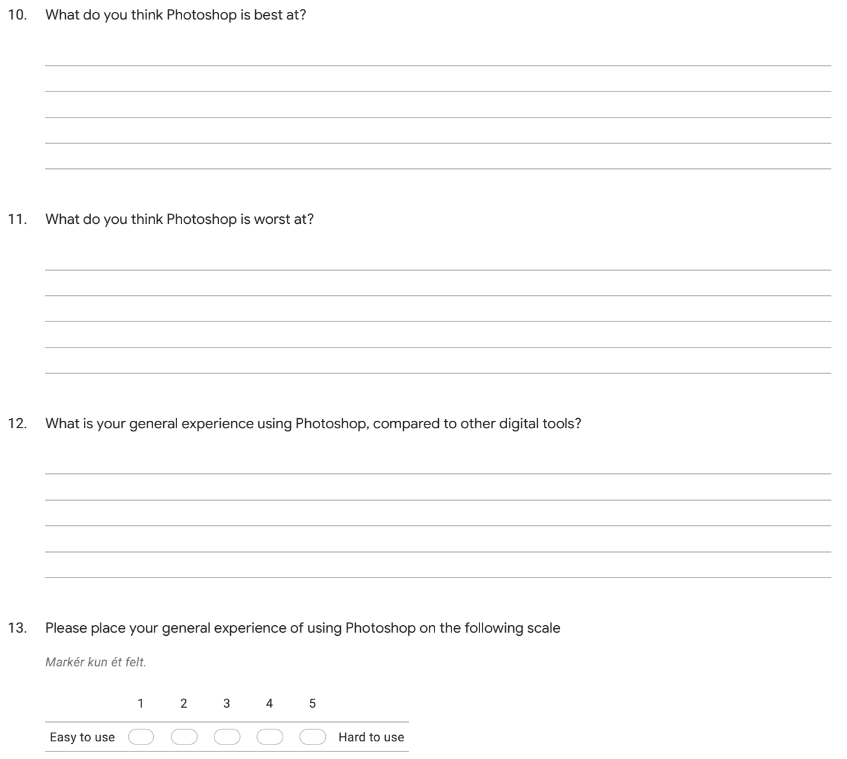
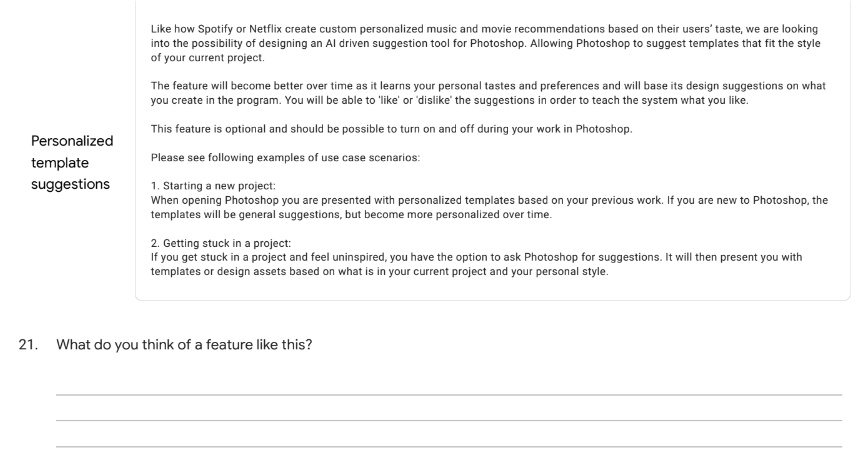
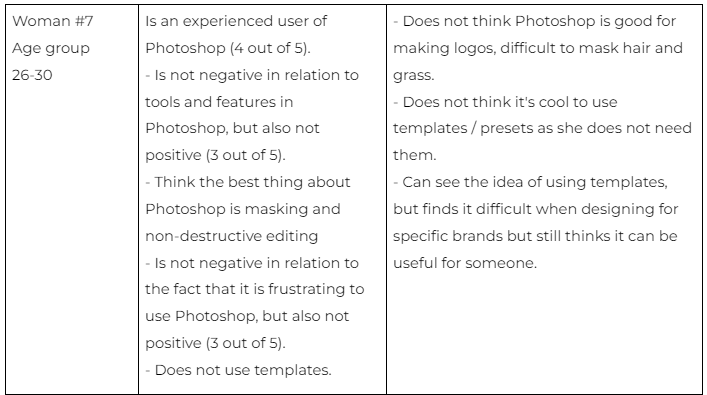
The initial hypothesis was the interface of Photoshop had a low degree of transparency for all users, no matter their individual level of skill, because the interface and its many tools are confusing to work with. To validate these insights, a questionnaire was created with the purpose of investigating the users’ experience with Photoshop and their opinion on the concept of personalized templates/presets generated by AI. Our survey’s main purpose was to identify the respondents, their level of skill, experience with Photoshop and their opinion about personalized templates/presets generated by AI.
The questionnaire was published in Photoshop community groups on Facebook, to attract participants with knowledge of using Photoshop. The data was gathered through Google Forms.
In conclusion, the responses of the questionnaire have shaped and informed the final prototype in several ways:
The general response had validated the need for a design solution that can make Photoshop easier to use. This was among the goals of the design.
Those that considered Photoshop hard to use, found templates and presets useful. This made it ideal to build our design solution around templates and presets.
Respondents wondered how implementing personalized suggestions by AI would work. Will the AI ever completely align with the users’ actual interests, or is it dependent on how much data users are comfortable with sharing?
Based on user studies of Photoshop users, it was learned that Photoshop’s interface starts out as being complex. But this complexity also makes the user experience more rewarding, once the user has designed the ideal photo they want. Because of this finding, it was not ideal to implement a system that would disrupt the complexity for the experienced users. Therefore, it was decided to make the user-friendly templates an option for inexperienced users that want to create noncomplex pictures and posters, without feeling stuck in their creative processes.
This project explored how AI-driven personalization could support and further improve the usability of Photoshop. Based on the insights gained from our personas and user quantitative data, we discovered and validated a design opportunity for personalized design suggestions in Photoshop. This design opportunity should provide a way to support users in reaching their desired outcome and meet them at their current skill level.